Back to apps App · In Closed Testing

Sheets into tiles. Photos into sheets.

Tessellry works in both directions. Split a scanned or photographed sheet into clean, individual tiles, cards, stamps, sprites, or faces, or combine your own photos into a print-ready contact sheet. It all runs on your phone, with no account and nothing uploaded.
Closed testing now · Google Play release to follow
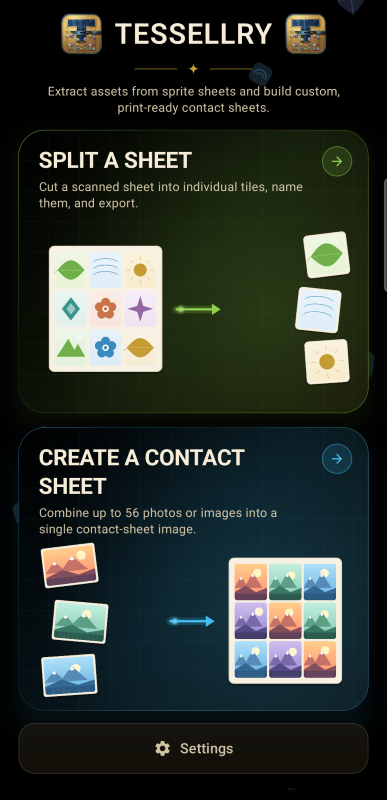
Tessellry home screen with two options: Split a Sheet and Create a Contact Sheet

Split a sheet

Load a scan or photo of a sheet and Tessellry finds each tile, names it, and exports it as its own image. Great for sprite sheets, game tiles, stamps, and cards.

Create a contact sheet

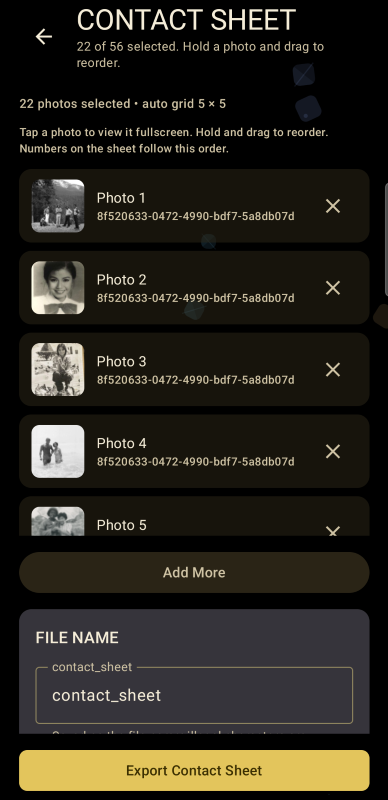
Pick up to 56 photos and Tessellry arranges them into a tidy grid, ready to print or share, in a range of standard sheet sizes.

Nothing leaves the device

Your photos and sheets are processed locally. There is no account, no cloud step, and no tracking, and it works without an internet connection.

App Interface

A closer look at Tessellry

Split a Sheet

From one scan to a folder of clean tiles.

Four simple steps, with a gentle glow in the app pointing out what to tap next.

1. Load your sheet

Choose a scanned or photographed sheet, then pick Tiles to find square or rectangular items, or Faces to find people in group photos.

2. Choose a template

Keep the plain tiles, or place each one in a built-in frame: picture frame, postage stamp, Mahjong tile, or playing card.

3. Check the names

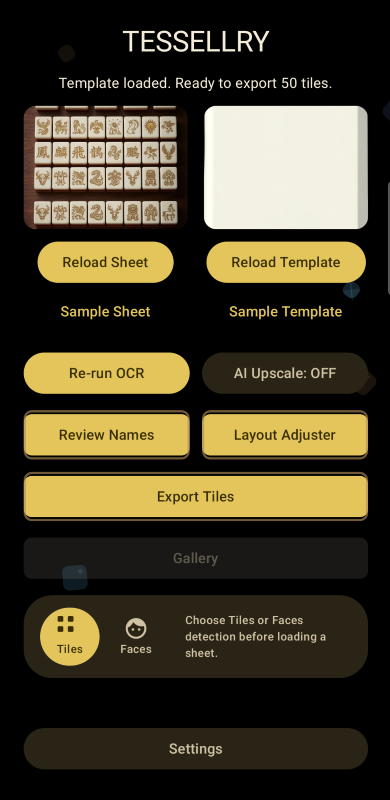
Tessellry reads any text printed on a tile and uses it as the filename. Review Names lets you fix any of them. You can also turn on optional AI upscaling for small, low-resolution tiles.

4. Adjust and export

The Layout Adjuster lets you fine-tune size, margins, position, and rotation. Then export every tile in one go.

Create a Contact Sheet

Your photos, laid out for print.

Select up to 56 photos, then hold and drag to put them in the order you want. Tessellry works out the grid for you and numbers each photo to match its place on the sheet. Name the file, tap export, and you have a single image ready for printing, proofing, or sharing.

  • Photos per sheetUp to 56
  • Sheet sizesSquare · US Letter · A4 · A5 · B5
  • Card sizesBusiness card · Recipe card
  • LayoutAutomatic grid, drag to reorder
Who it's for

Made for anyone with a lot of little images.

Whether you are digitizing a collection or preparing prints, Tessellry saves the hours of cropping, naming, and arranging you would otherwise do by hand.

Sprite & tile sheets Board game & card makers Stamp & card collectors Family photo archives Photographers Designers
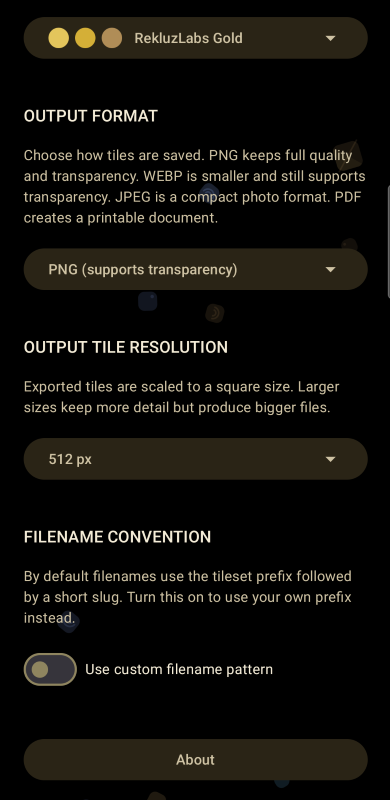
  • Export formatsPNG · WebP · JPEG · PDF
  • Tile size512 px default, larger available
  • FilenamesAutomatic, or your own prefix
  • LookSeveral color themes
  • ProcessingOn-device only
Good to know

A few things worth knowing.

Tessellry is currently in closed testing and is headed to Google Play. Like every Rekluz Labs app, it will be free, with no ads, no subscriptions, and no in-app purchases.

Detection works best on clear, evenly lit scans. If a tile is missed or a name is wrong, you can correct it before exporting using Review Names and the Layout Adjuster. AI upscaling is optional and asks more of your phone, so switch it on only when you need sharper results from small tiles.

New to Tessellry? The User Manual walks through every feature, from splitting sheets to building contact sheets and exporting game-ready sprite atlases.

Tessellry is
coming to the Play Store.

The app is in closed testing now.
Have questions? Read the User Manual or email the developer directly at rekluzlabs@gmail.com.